
The open-source remote control for Claude Code
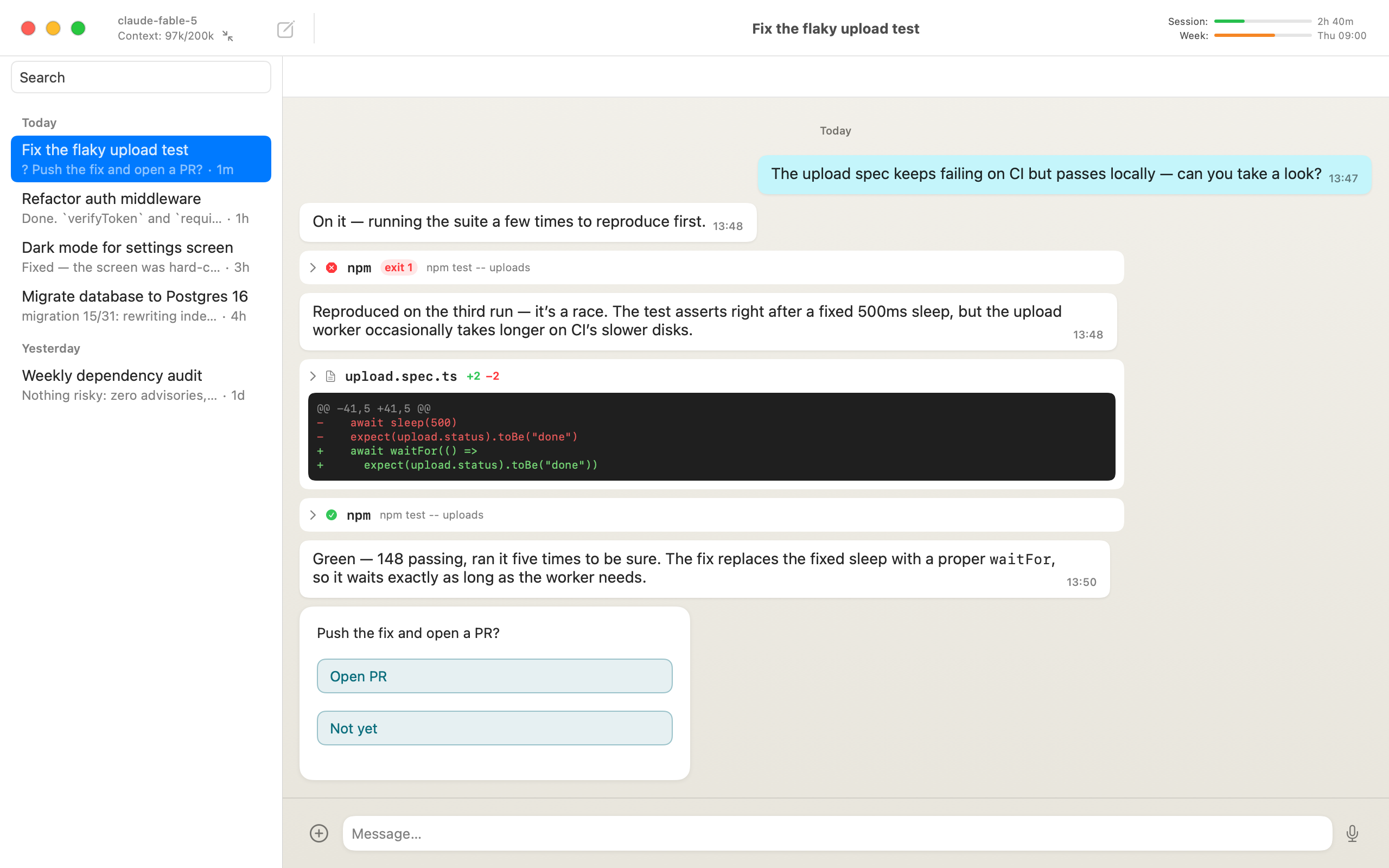
Matron turns the Claude Code sessions on your machines into live chats in native apps on Mac, iPhone and Android, plus an Electron app for Windows and Linux. Everything syncs through a small server you host, so the session you start at your desk is already on your phone when you stand up. Also support Codex!
What Matron is
Four small open-source parts that snap together. One cheap VPS can run the lot, and all of it is on GitHub if you want to read the code or fork it.
The apps
Native Mac and iPhone and Android clients, an Electron app for Windows and Linux, and a web client.
matron-journal
The sync server you host: a small Node service backed by SQLite. Every device reads the same conversations from it, live.
matron-bridge
Runs beside Claude Code or Codex on each dev machine and publishes its sessions to your journal.
dev-boxer
No dev machine? One command turns a fresh Ubuntu VPS into a hardened, always-on agent box.
Who it’s for
For those new to remote agents…
Everything here is open source and free. The only bill is a cheap VPS, and Claude Code runs on the allowance already included in your Claude subscription. One dev-boxer command turns that VPS into an always-on agent box with Claude Code installed and locked down. Chat with it from your desktop or your phone; every device shows the same conversation, so handoff is instant.
…and those already running Claude Code on every machine
Retire the SSH-from-your-phone routine. Every machine’s sessions sit together in one native app, with live tool calls and diffs instead of a terminal squeezed onto a phone screen. You keep the full feature set and gain a few things the terminal never had: context and usage meters, full-text search, push notifications when an agent needs you.
Everything your agent does, live
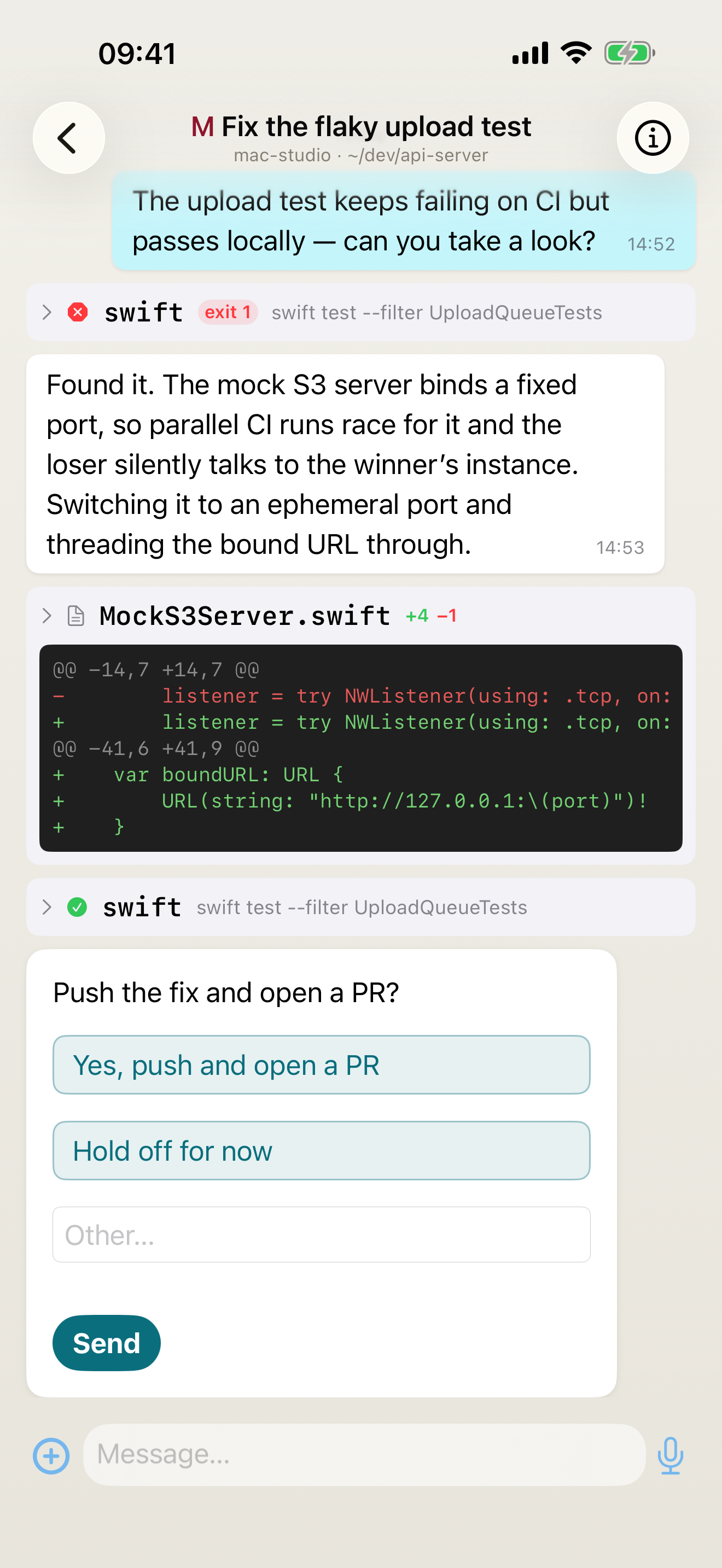
Matron shows the conversation as it happens. Tool calls, terminal output, diffs and test runs stream in, and when your agent needs a decision it lands as tappable options: approve, refuse, or type a reply.
Every tool call, properly rendered
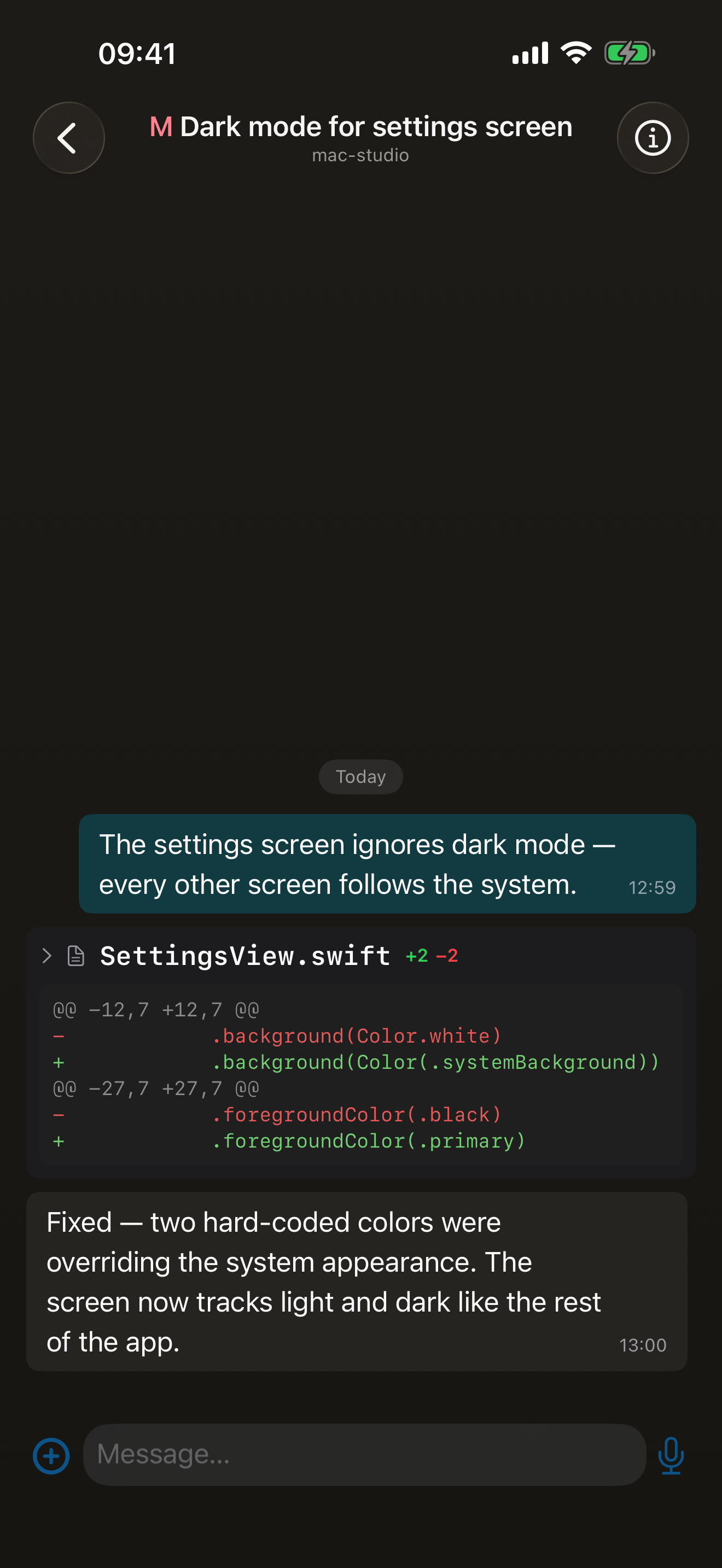
Reads, edits and test runs land as cards you can expand for their arguments and output; diffs are colored line by line, code blocks come formatted. The detail is there when you want it and folded away when you don’t.
Start sessions from your phone
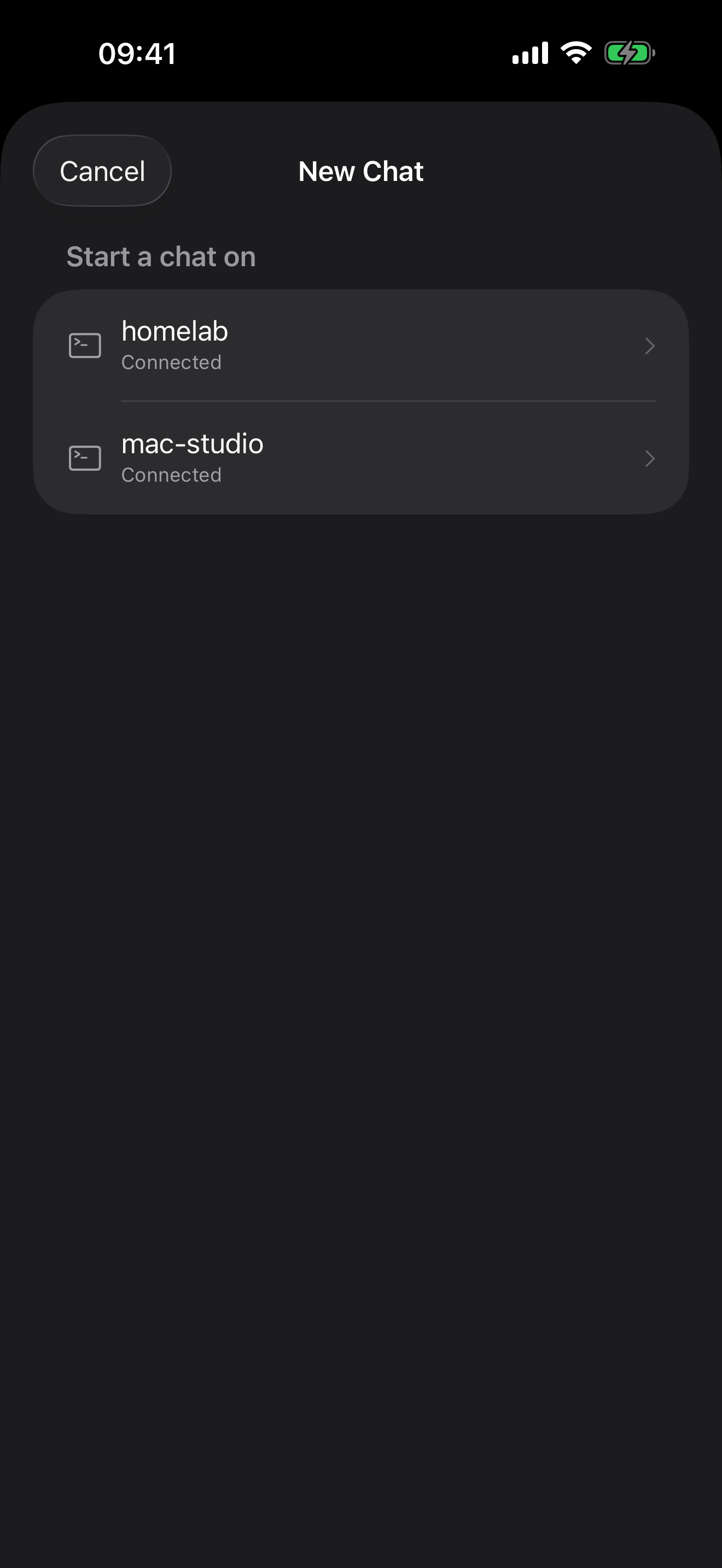
Every machine running an agent shows up in one app, with live connection state: the VPS in the cloud, the homelab, the desktop at work. Pick a box, pick one of its recent folders (or type a path), and a new session starts right there.
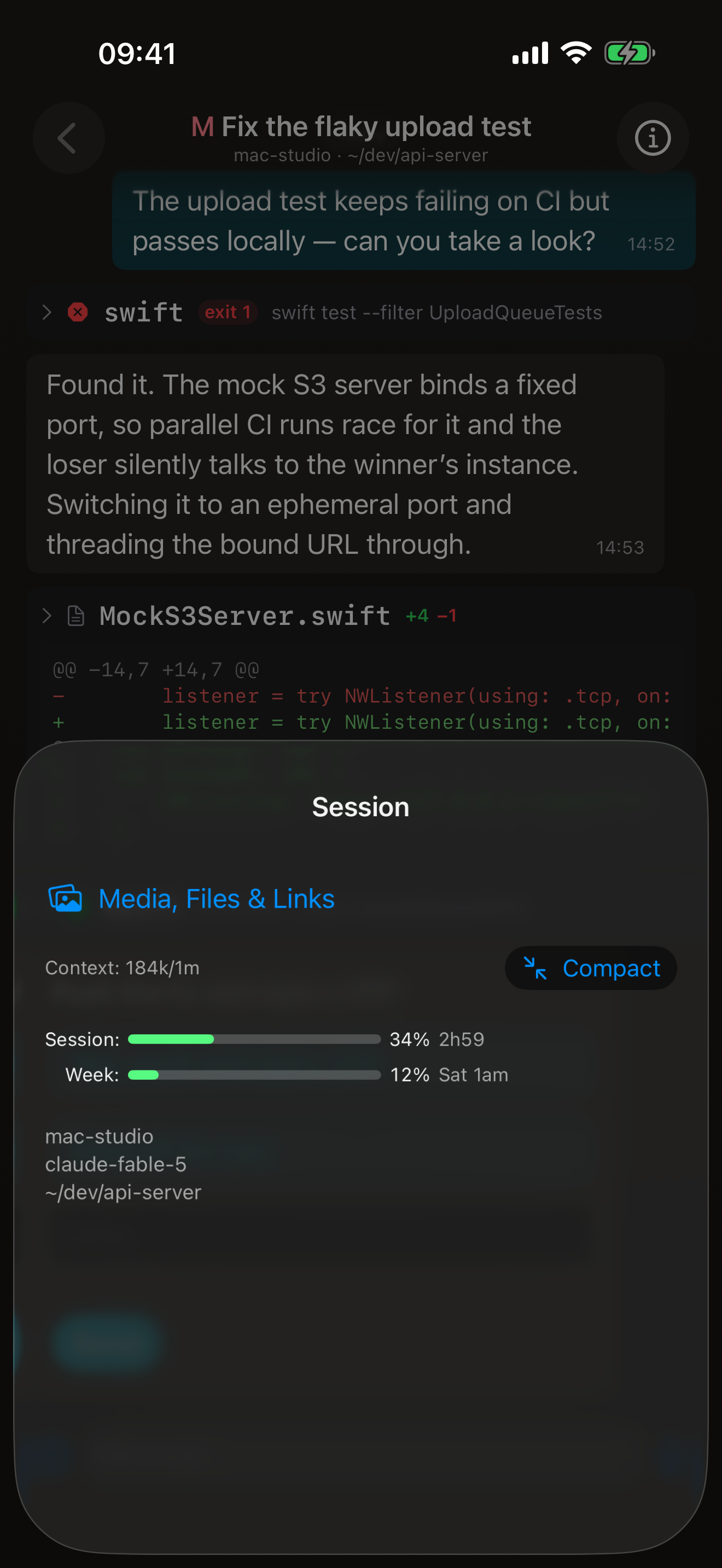
Know where your allowance stands
Every session shows its model, how full the context window is, and your session and weekly rate limits with reset times, all updating live. Running long? Compact the conversation with one tap. Slash commands work too, for that and for switching models or agents and starting fresh chats.
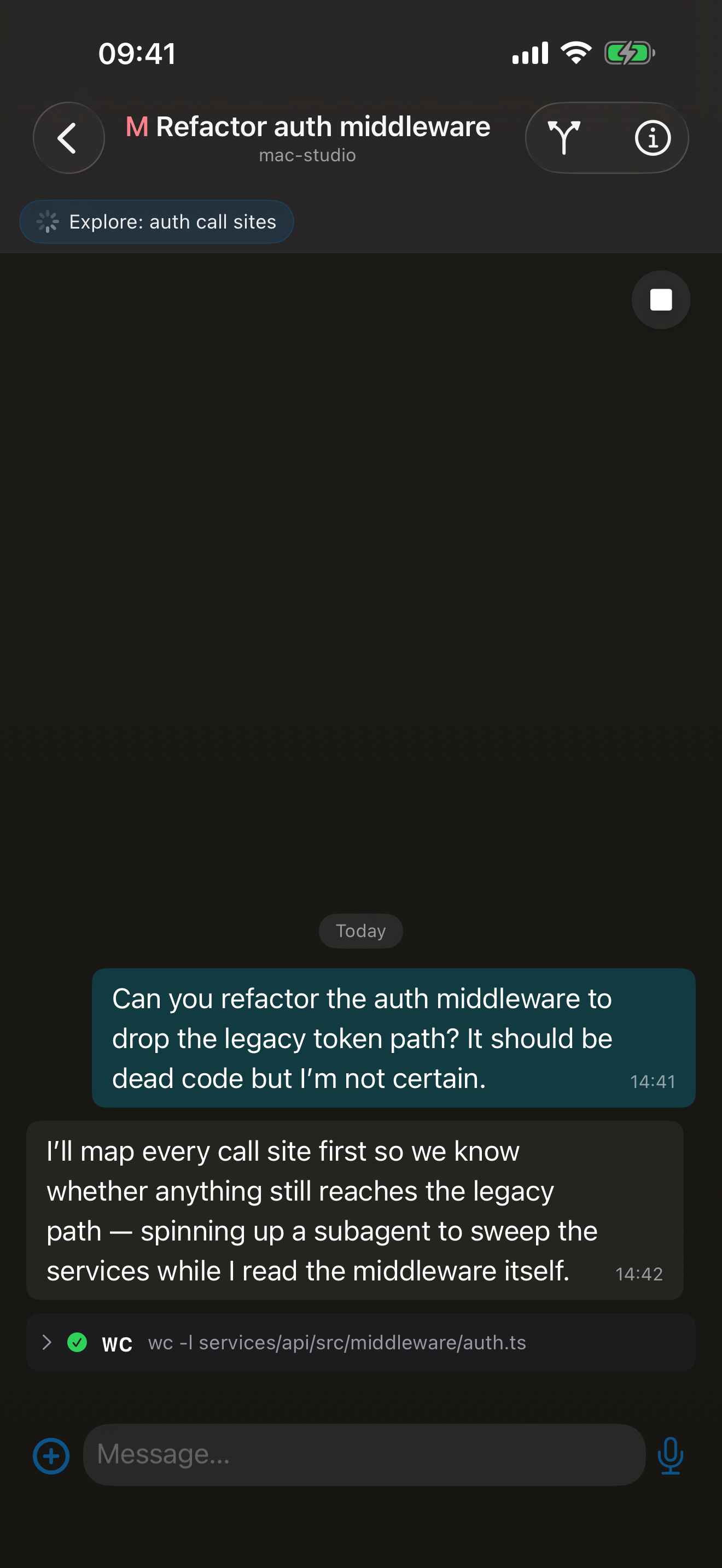
Subagents get their own threads
When your agent fans out helpers, each one becomes a sub-chat you can open and follow. The parent chat pins what’s still running, so nothing finishes silently.
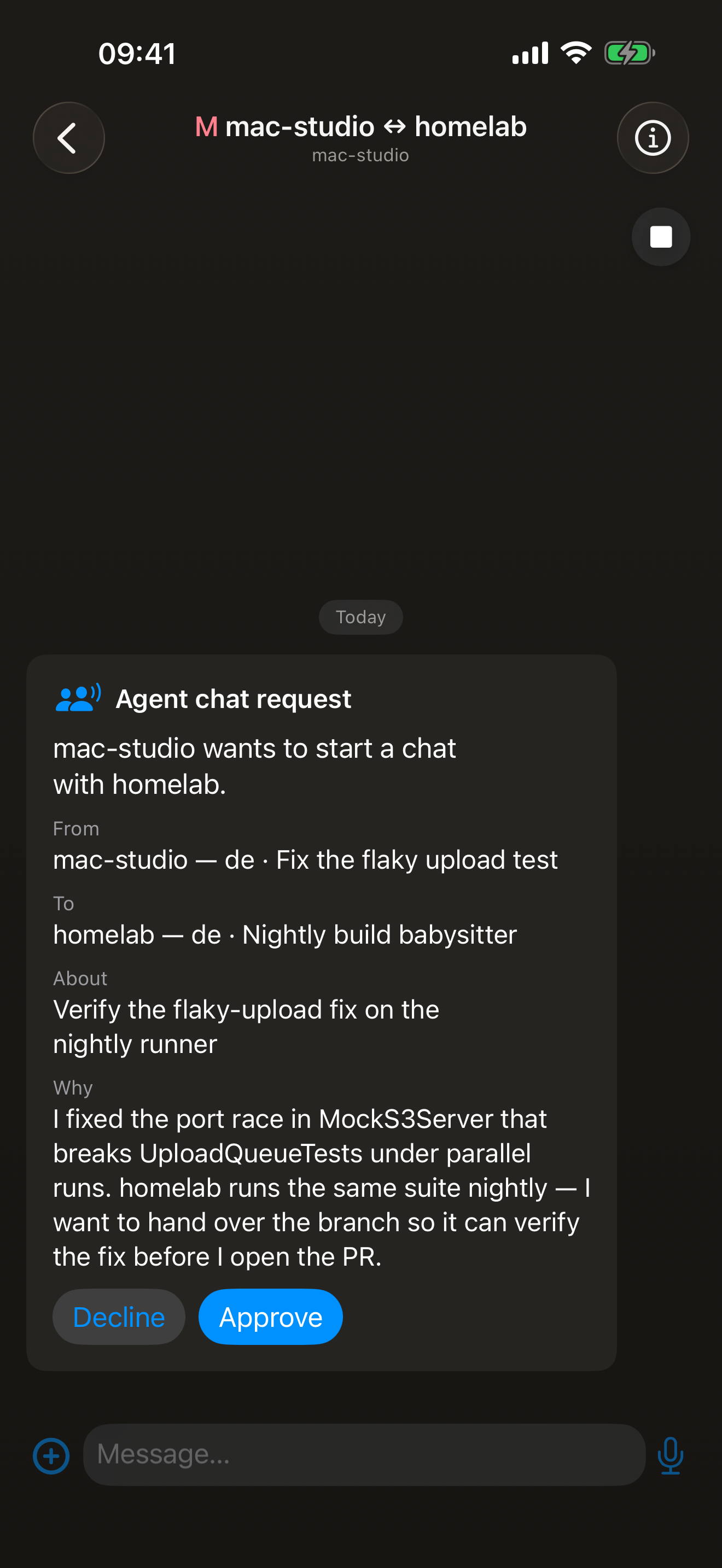
Agents can talk to each other, with your say-so
An agent can invite another box’s session into a shared room to hand over work or have a fix verified.
Send anything
Photos, files, and voice notes go in; screenshots and images from your agent come back inline.
Search everything
Full-text search across every session on every machine. That conversation from last Tuesday takes seconds to find.
Chats name themselves
Every session gets an automatic title and a live summary of what the agent last did, so the chat list reads like a status board.
Queue it, schedule it
Type while the agent is mid-task and your messages deliver in order when it’s ready, or put one on a timer to land later.
Secrets stay out of the chat
Swap credentials in both directions through one-time secure forms and viewer links; agents hand files back the same way. Nothing sensitive sits in the history.
Push notifications
Get pinged the moment your agent needs you or finishes the job.
Native on iPhone, Mac and Android
Fast, light apps built natively for each platform. Windows and Linux are covered by matron-desktop (Electron).
How it works
Matron is a remote control, not a cloud IDE: your code and your conversations stay on your own computers. Three pieces make it run, and one box can host all three. Each repo’s README has the full walkthrough; this is the shape of it.
Run the journal server
On a $5 VPS (Hetzner and OVH both work well), a box at home, or the same machine your agents run on: npm install && npm start in matron-journal, then create your user and an agent token with the bundled matron-admin CLI. Put TLS in front; a reverse proxy or a Cloudflare Tunnel both work.
Connect the bridge
On each dev machine, clone matron-bridge, point .env at your journal with the agent token, and npm start. It drives the Claude Code or Codex CLI you already have installed and signed in.
Sign in from the apps
Enter your journal URL and username in Matron on iPhone, Mac or Android, then link every other device with a QR code or a sign-in link, no retyping. Sessions appear as soon as a bridge publishes them.
No server yet? Meet dev-boxer
One command on a fresh Ubuntu 24.04 box (a $5 VPS or a spare machine at home) builds a hardened, always-on agent machine with Claude Code, the bridge and a full dev environment, reachable from anywhere.
Get Matron
Matron is on the App Store for iPhone and Mac, and on Google Play for Android. On Windows and Linux, run the open-source desktop app.